NotchTerm
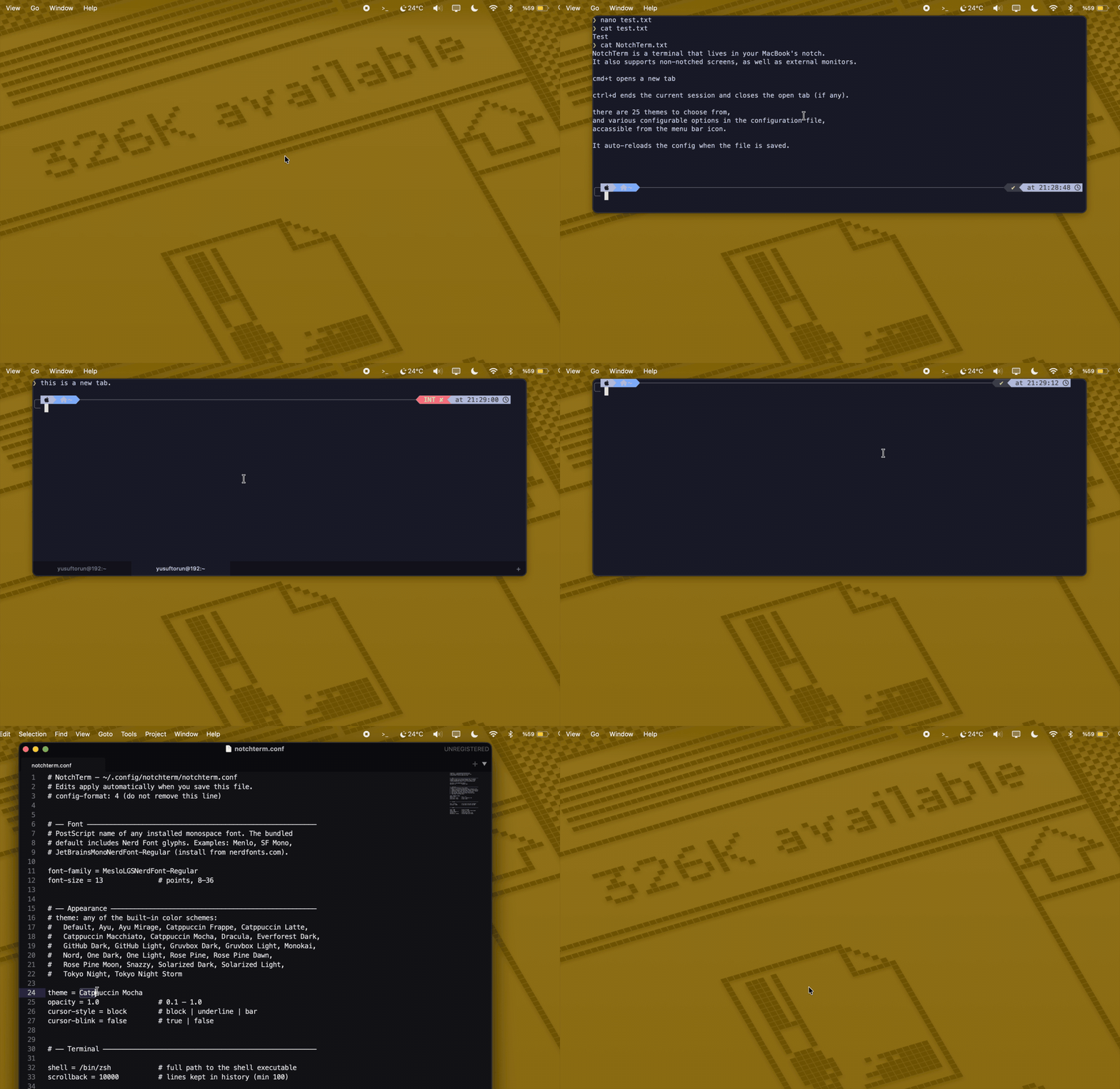
A terminal that lives in your notch.
Hover to show. Move away to hide. Nothing to remember.
A terminal that lives in your notch.
Hover to show. Move away to hide. Nothing to remember.
No Dock icon, no hotkey, no window juggling. The terminal is wherever your cursor already is — the top of the screen.
Hiding the panel never kills your shell. Long-running builds, SSH sessions, and logs survive every show/hide.
Cmd+T for a new tab. The tab strip only appears when you have two or more — zero chrome otherwise. Top or bottom, your choice.
Catppuccin, Dracula, Gruvbox, Nord, Rose Pine, Solarized, Tokyo Night and more — each with a complete ANSI palette.
Real notch on MacBooks; a phantom hover zone at the top-center of external monitors and non-notch Macs. The panel follows your cursor across displays.
vim, htop, less — full-screen terminal apps just work. Escape reaches the terminal, always.
One plain-text file. Edit, save, applied instantly — no restart needed.
Never logs, records, or transmits anything — no keystrokes, no analytics, no telemetry, no network calls. Open source — read every line.
Most notch apps are hubs — media controls, file shelves, HUD replacements, calendars. NotchTerm deliberately isn't one. It does exactly one thing: puts a real terminal (SwiftTerm — a genuine PTY running your actual shell, not a widget) under your notch. No Dock icon, no feature drawer, no subscription, and nothing to configure that doesn't fit in one small text file.
If you live in a shell, this is the fastest path to one that exists on a Mac. If you don't, the hub apps will serve you better — and that's fine.
NotchTerm.zip from the latest release and unzip it.NotchTerm.app into /Applications.xattr -d com.apple.quarantine /Applications/NotchTerm.appAlternatively, open it once, then approve it under System Settings → Privacy & Security → Open Anyway.
git clone https://github.com/ysftrn/NotchTerm.git
cd NotchTerm
xcodebuild -project NotchTerm.xcodeproj -scheme NotchTerm -configuration Release build
| Keys | Action |
|---|---|
| Cmd+T | New tab |
| Cmd+W | Close tab (hides the panel on the last tab) |
| Cmd+1 … Cmd+9 | Jump to tab |
| Ctrl+Tab / Ctrl+Shift+Tab | Next / previous tab |
| Cmd+K | Clear terminal |
| Cmd+C / Cmd+V | Copy / paste |
| Cmd+, | Open config file |
| Cmd+Q | Quit |
Typing exit closes the current tab. Drag any edge to resize — the panel stays centered under the notch.
Everything lives in ~/.config/notchterm/notchterm.conf. Open it with Cmd+, — changes apply the moment you save.
font-family = MesloLGSNerdFont-Regular
font-size = 13              # points, 8–36

theme = Catppuccin Mocha    # 25 built-in themes
opacity = 1.0               # 0.1 – 1.0
cursor-style = block        # block | underline | bar
cursor-blink = false        # true | false

shell = /bin/zsh            # zsh, bash, fish — anything
scrollback = 10000          # lines kept in history

width = 1000                # points
height = 400                # points; 0 = 40% of screen
terminal-padding = 0        # inner inset
notch-gap = 0               # gap below the notch
tab-position = bottom       # top | bottom