How it looks.
See it for yourself.
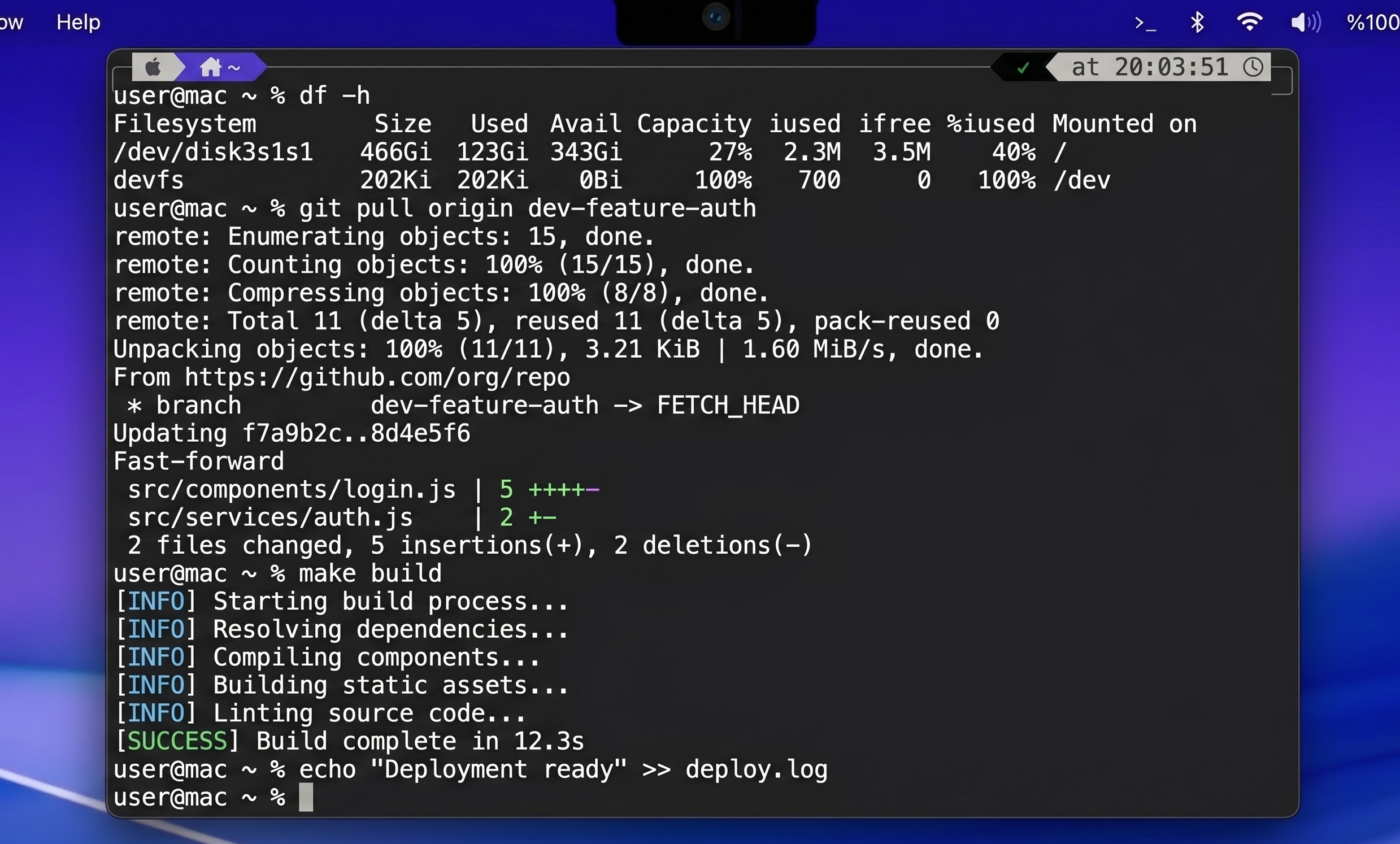
For Macs with a Notch
Hover over your MacBook's notch to reveal a full terminal. Dismiss it just as fast. Zero clutter, always reachable.
This is an early beta. macOS will warn you on first launch — right-click the app and select Open to bypass Gatekeeper.
Hover the notch → terminal drops down. Move away → it vanishes.
How it works
NotchTerm turns the MacBook notch — previously wasted space — into a portal to your shell.
01
Move your cursor to the top center of your MacBook screen — where the notch is. NotchTerm activates instantly.
02
A full terminal slides down from the notch with a smooth animation. Your session persists between appearances.
03
Move your cursor away and the terminal slides back into the notch. Your workspace stays clean.
Features
Runs your existing shell config — .zshrc, aliases, environment variables, everything. It's a real terminal, not a toy.
Designed specifically for MacBooks with a notch. The terminal geometry matches the notch cutout perfectly.
Your terminal session stays alive when dismissed. Come back to exactly where you left off — directory, history and all.
Built entirely in Swift with AppKit. Tiny memory footprint, instant response, no Electron overhead.
NotchTerm doesn't phone home. No analytics, no crash reports, no account required. What runs in your terminal stays there.
NotchTerm comes with a simple config file. Themes, fonts, window size - all can be configured easily. The window is also symmetrically drag-resizeable. Short, tall, narrow, wide - however you like.
How it looks.
Requirements
NotchTerm is designed exclusively for MacBooks with Apple's notch display — introduced with the MacBook Pro 14" and 16" in late 2021.
macOS
macOS 12 Monterey or later
Hardware
MacBook with notch display
Architecture
Apple Silicon & Intel
FAQ
Does it work on MacBooks without a notch?
No — NotchTerm is specifically designed for the notch. It won't work on older MacBooks or iMacs.
Why isn't it on the Mac App Store?
The App Store requires sandboxing, which prevents apps from spawning shell processes. NotchTerm needs direct terminal access to work, so direct distribution is the only option.
Is it safe to install outside the App Store?
The beta version is unsigned — macOS will show a warning on first launch. Right-click the app and select Open to bypass it. The final release will be fully signed and notarized.
How does the trial work?
The app is fully functional for 7 days from first launch. After that, you'll need a license key to continue. Purchase once, use forever.
How many Macs can I use it on?
One license covers up to 2 Macs — enough for a MacBook and a desktop setup.
I have a question or found a bug.
Email us at ysftrn@gmail.com — we respond within 24 hours.
Download
No account needed. Just download, run, hover and love forever.
Download Beta (Unsigned)This is an early beta. macOS will warn you on first launch — right-click the app and select Open to bypass Gatekeeper.